
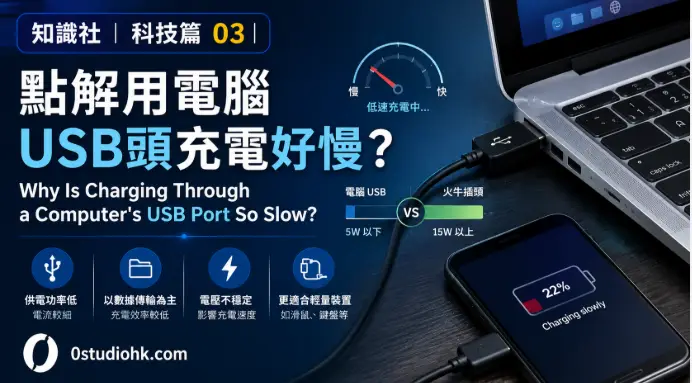
知識社|科技篇 03|點解用電腦 USB 頭充電好慢? Why Is Charging Through a Computer’s USB Port So Slow?
不少人都試過,把手機接到電腦 USB 插口充電,卻發現充電速度比充電器慢得多。有時充了一小時,電量只增加十多個百分比。到底是 USB 壞了,還是電腦故意限制充電速度?
Many people notice that charging a phone through a computer’s USB port is much slower than using a wall charger. The reason isn’t a faulty cable or a weak battery—it’s mainly how USB was originally designed.
中文版本
USB 的全名是 Universal Serial Bus(通用序列匯流排),最初於1990年代推出時,主要用途並不是為手機充電,而是讓電腦連接滑鼠、鍵盤、打印機及隨身碟等裝置,同時提供少量電力。因此,早期 USB 插口的供電能力十分有限。以最常見的 USB 2.0 為例,標準輸出只有 5V、0.5A(約 2.5W);USB 3.0 則提升至 5V、0.9A(約 4.5W)。相比之下,現今手機充電器一般可提供 20W、30W、45W,甚至 100W 以上的輸出功率,因此兩者速度自然相差很大。
除了供電能力不同,電腦本身亦會管理 USB 的供電。當手機連接電腦時,系統通常會先確認裝置是否需要傳輸資料,再決定可提供多少電流。如果只是一般 USB 連接,很多電腦都會限制輸出電流,以保護主機板及 USB 控制晶片,避免因過大電流而影響其他裝置運作。因此,即使手機本身支援快速充電,只要電腦 USB 插口沒有支援相應的快速充電協定,例如 USB Power Delivery(USB PD) 或 Qualcomm Quick Charge(QC),手機便只能以較低功率充電。
另一個容易被忽略的因素,就是手機耗電速度。如果一邊充電,一邊玩大型遊戲、觀看影片或開啟導航,手機本身消耗的電力可能已接近甚至超過 USB 插口提供的電力,因此會出現「充得很慢」,甚至「一邊充、一邊跌電」的情況。其實,電腦提供的電力有部分已經被手機即時使用,真正充進電池的電量自然減少。
近年不少新型手提電腦已開始配備支援 USB-C 與 USB Power Delivery(USB PD) 的接口,最高可提供數十瓦甚至一百瓦以上功率,不但可以快速替手機充電,部分型號更能直接為手提電腦供電。不過,並非所有 USB-C 插口都支援快速充電,因此使用前仍需查看產品規格。
所以,下次如果發現用電腦 USB 充電特別慢,不一定代表 USB 壞了,而是因為它的設計重點原本就是資料傳輸,而不是高速充電。隨著 USB 技術不斷發展,新一代 USB-C 已逐漸同時兼顧高速傳輸與高功率供電,成為現代電子產品的重要標準。
English Version
USB, which stands for Universal Serial Bus, was originally created in the 1990s as a universal interface for connecting devices such as keyboards, mice, printers, and storage drives to computers. Supplying power was only a secondary function. As a result, early USB ports delivered relatively small amounts of electricity. A standard USB 2.0 port provides 5 volts at up to 0.5 amps, or about 2.5 watts, while USB 3.0 increases this to about 4.5 watts. Modern phone chargers, however, commonly deliver 20 watts, 30 watts, 45 watts, or even more than 100 watts, making them significantly faster.
Computers also actively manage how much power each USB port supplies. When a phone is connected, the computer first establishes communication and determines what level of power can be safely delivered. Many computers intentionally limit current to protect the motherboard and USB controller from overload. Even if a smartphone supports fast charging, it cannot charge at high speed unless both the computer and the phone support the same fast-charging standard, such as USB Power Delivery (USB PD) or Qualcomm Quick Charge (QC).
Another reason charging may seem slow is that the phone continues consuming power while charging. Watching videos, playing games, or using GPS navigation can require nearly as much energy as the USB port supplies. In some situations, the battery may even continue to drain despite being plugged in because the device is using electricity faster than it can receive it.
Today’s laptops increasingly include USB-C ports with USB Power Delivery support, allowing much higher power output. Some USB-C ports can provide enough power to fast-charge smartphones or even power another laptop. However, not every USB-C connector supports these higher power levels, so users should always check the device specifications.
The next time your phone charges slowly from a computer, remember that the USB port is usually working exactly as designed. Traditional USB ports were built primarily for data transfer, while modern USB-C technology combines high-speed communication with much greater charging capability.
總評
用電腦 USB 充電較慢,並不是 USB 壞了,而是因為早期 USB 的設計重點是資料傳輸,而非高速供電。隨著 USB-C 和 USB PD 技術普及,未來電腦與充電器之間的差距將會愈來愈小。
Summary
Computer USB ports are generally slower because they were originally designed for connecting devices, not fast charging. Modern USB-C and USB Power Delivery technology are gradually changing that by delivering much higher power safely.